Practice sample · not client work
Five pages · three viewport sizes · one journey
Findings a team can act on.
This sample comes from a public site deliberately built for testing practice. It demonstrates the report format and a bounded browser workflow. It does not claim customer acceptance, multiple-browser coverage, physical-device testing, or commercial validation.
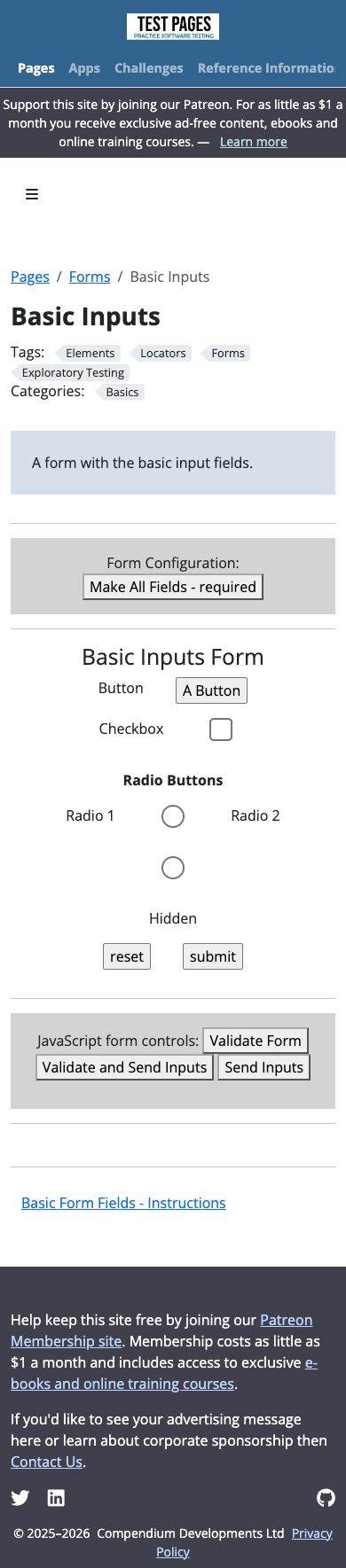
Mobile radio label separates from its control
Medium
- Page
- Basic Inputs practice page
- Condition
- 390 × 844 CSS-pixel viewport in one desktop browser environment
- Observed
- The “Radio 2” text remains beside the first option while its circular control wraps below, weakening the visual association.
- Reproduce
- Open the page at 390 px width and inspect the radio group below the date field.
- Next step
- Keep each label and control in one wrapping unit, then repeat the narrow-width check.
Form controls need meaningful accessible names
Medium
- Page
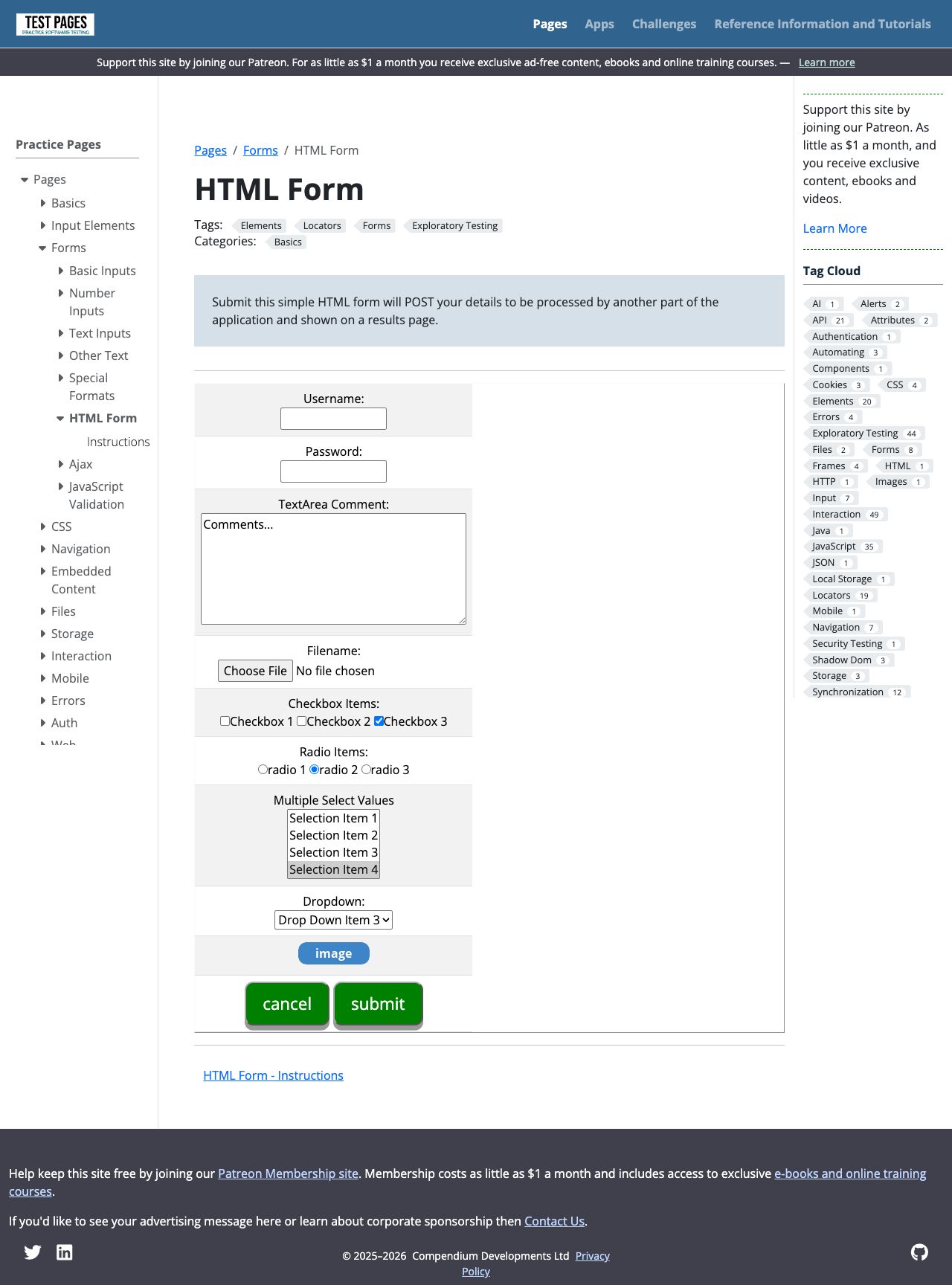
- HTML Form practice page
- Observed
- Several controls lacked meaningful computed names despite nearby visible descriptions in the browser accessibility inspection.
- Impact
- Assistive-technology users may not receive enough context to complete the form efficiently.
- Next step
- Associate visible labels with their controls, then verify computed names and keyboard behavior. This is not a WCAG certification.
Synthetic form journey returned the expected values
Pass
- Journey
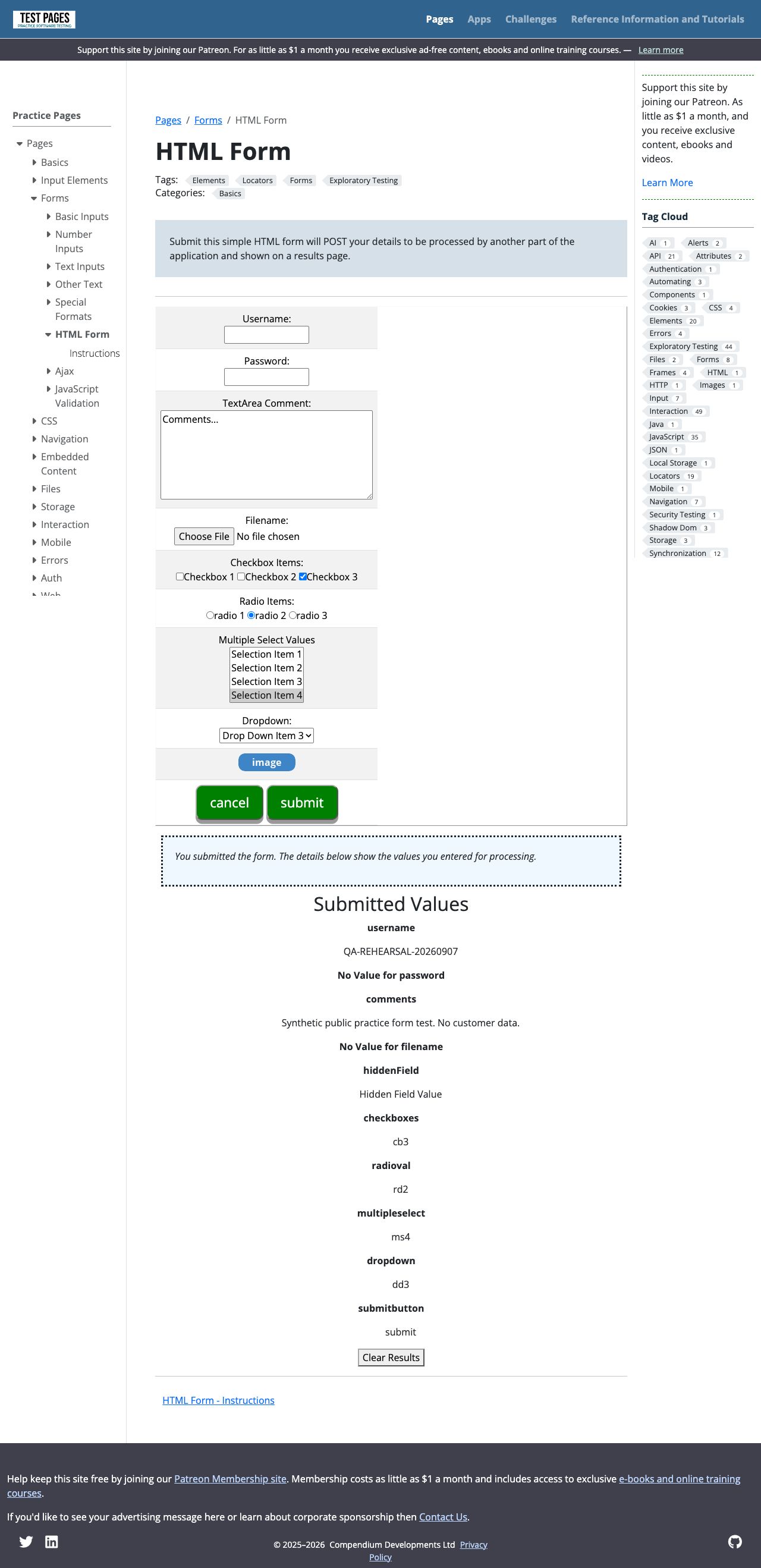
- Entered disposable test values and used the normal submit action.
- Result
- The result page echoed the entered username and comment with the expected default selections.
- Data used
- No personal information, payment, customer message, password, or file upload.
Limits: This rehearsal did not include a security scan, exhaustive crawl, live purchase, API validation, performance measurement, client acceptance, or repair retest. A customer report separates passed, failed, and untested behavior.